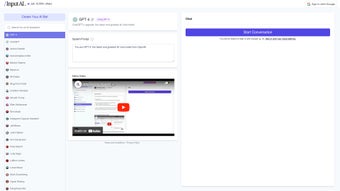

Download BetterWriter – AI Writing Tool for Bloggers, E‑commerce & Students
Overview
BetterWriter is a subscription‑based AI writing assistant that lives as a Chrome extension, powered by the robust GPT‑3 language model. Designed for anyone who spends time crafting content—whether you’re a professional blogger, an e‑commerce merchant, a marketer, or a student—BetterWriter promises to accelerate the writing process without sacrificing quality. The platform bundles more than 20 specialized tools, each tailored to a specific writing scenario such as blog outline creation, Amazon product description generation, persuasive copy, email drafting, and academic essay assistance.
Users report that a 1,000‑word blog post can be drafted in roughly 20 minutes, while multiple product listings for an online store can be produced in under ten minutes. The extension automatically suggests headings, refines tone, and improves readability, turning a rough idea into polished copy with a few clicks. While BetterWriter currently runs only on desktop browsers and lacks native mobile or real‑time collaboration features, its extensive toolset and seamless integration with Chrome make it a compelling addition to any writer’s toolkit.
Whether you’re looking to cut down research time, overcome writer’s block, or simply produce higher‑ranking SEO content, BetterWriter offers a secure, regularly updated environment that adapts to diverse writing needs.
Key Features & Functionalities
- More than 20 AI‑driven writing templates covering blogs, product descriptions, ad copy, emails, essays, and social media posts.
- Instant blog outline generator that suggests headings, sub‑headings, and keyword‑rich topics.
- Tone‑adjustment engine allowing you to switch between professional, casual, persuasive, or academic styles.
- Bulk Amazon product description creator—up to 10 listings in under 10 minutes.
- Automatic content improvement tool that enhances grammar, readability, and SEO relevance.
- One‑click “Write for me” option that expands short prompts into full‑length articles.
- Integration with Chrome’s toolbar for on‑the‑fly assistance while browsing or researching.
- Secure cloud‑based storage of generated drafts, protected by SSL encryption.
- Regular updates that incorporate the latest GPT‑3 improvements and user feedback.
- Subscription model with tiered pricing, including a free trial period for first‑time users.
Each feature is built to minimize the repetitive aspects of content creation. For example, the blog outline generator not only suggests topics but also orders them in a logical flow, saving you hours of planning. The tone‑adjustment engine leverages GPT‑3’s deep understanding of language nuance, making it easy to repurpose a single piece of content for multiple audiences. Moreover, the bulk product description tool pulls relevant specifications from your clipboard or a CSV file, automatically formatting them into SEO‑friendly copy that meets marketplace guidelines. All of these capabilities are accessible from the same extension, ensuring a consistent user experience without the need to switch between multiple apps.
Installation, Setup & Daily Usage
Step‑by‑Step Installation
- Open the Chrome Web Store and search for “BetterWriter”.
- Click “Add to Chrome” and confirm the permissions request.
- After installation, a small BetterWriter icon appears next to the address bar.
- Click the icon and sign up using your email or Google account to start the free trial.
- Choose a subscription plan (monthly or annual) if you wish to continue after the trial.
First‑Time Configuration
Upon logging in, BetterWriter guides you through a quick onboarding wizard. You’ll select your primary writing goals—blogging, e‑commerce, academic, or marketing—and the wizard will enable the corresponding templates. You can also set default tone preferences, word count limits, and SEO keyword density targets. All settings are saved to your cloud profile, so they sync automatically across any Chrome browser where you’re signed in.
Daily Workflow
Using BetterWriter day‑to‑day is as simple as highlighting text on any webpage, right‑clicking, and choosing “Generate with BetterWriter”. For a new blog post, you can start by typing a short seed phrase (e.g., “10 tips for remote work productivity”). The AI will instantly produce an outline, which you can accept, edit, or regenerate.
Once the outline is set, click “Write full article” and watch as the tool expands each heading into polished paragraphs, complete with suggested meta descriptions and internal links. If you need a product description, paste the SKU or bullet points into the extension’s dedicated panel and let the AI craft a compelling, keyword‑rich copy. All generated content appears in an editable text box where you can make final tweaks before copying it to your CMS or publishing platform.
Because BetterWriter runs locally in Chrome, there’s no need to download bulky desktop software, and updates are applied automatically in the background. The extension also respects your privacy: no content is stored on third‑party servers unless you explicitly choose to save a draft to the cloud.
Compatibility, Pros & Cons
BetterWriter is compatible with any device that runs the Google Chrome browser on Windows 10/11, macOS 10.14 or later, and Chrome OS. It does not currently support mobile browsers, Firefox, Safari, or Edge extensions.
Pros
- Fast content generation—complete articles in minutes.
- Wide range of specialized templates for diverse writing tasks.
- Intuitive Chrome integration; no separate desktop app required.
- Robust tone and SEO controls give you fine‑grained output customization.
- Secure cloud storage with end‑to‑end encryption for saved drafts.
Cons
- No native mobile app or support for other browsers.
- Lacks real‑time collaboration features for teams.
- Subscription cost may be a barrier for occasional writers.
- Dependent on internet connection; offline mode is not available.
- Learning curve for new users unfamiliar with AI‑assisted writing.
Overall, BetterWriter stands out as a powerful productivity booster for anyone who writes regularly. While the lack of mobile support limits flexibility, the depth of its writing tools more than compensates for that shortfall.
Frequently Asked Questions
Is BetterWriter free to use?
BetterWriter offers a 7‑day free trial that gives full access to all templates. After the trial, you must choose a paid subscription (monthly or annual) to continue using the service.
Can I use BetterWriter on a Mac?
Yes. As long as you run Google Chrome on macOS 10.14 or later, the BetterWriter extension works identically to the Windows version.
Does BetterWriter store my content?
Drafts are saved to an encrypted cloud vault only if you choose to “Save to BetterWriter”. Otherwise, generated text remains on your local machine and is not retained on the server.
How does BetterWriter handle SEO?
The tool includes built‑in SEO recommendations, such as keyword density checks, meta description suggestions, and internal linking ideas, all based on the latest search engine guidelines.
Is there a limit to how many words BetterWriter can generate?
The standard subscription allows up to 150,000 words per month. Higher‑tier plans increase this limit, and you can purchase additional word packs as needed.
Conclusion & Call to Action
BetterWriter packs a sophisticated GPT‑3 engine into a lightweight Chrome extension, delivering a suite of writing tools that can dramatically reduce the time you spend on content creation. Its strengths lie in speed, versatility, and the ability to fine‑tune tone and SEO parameters without leaving your browser. While the lack of mobile support and collaborative editing may deter some teams, the overall value for solo writers, entrepreneurs, and students is compelling. If you’re ready to boost your productivity, eliminate writer’s block, and publish higher‑quality copy faster, click the button below to start your free trial and experience the power of AI‑driven writing.
Download BetterWriter Now


.png)



